
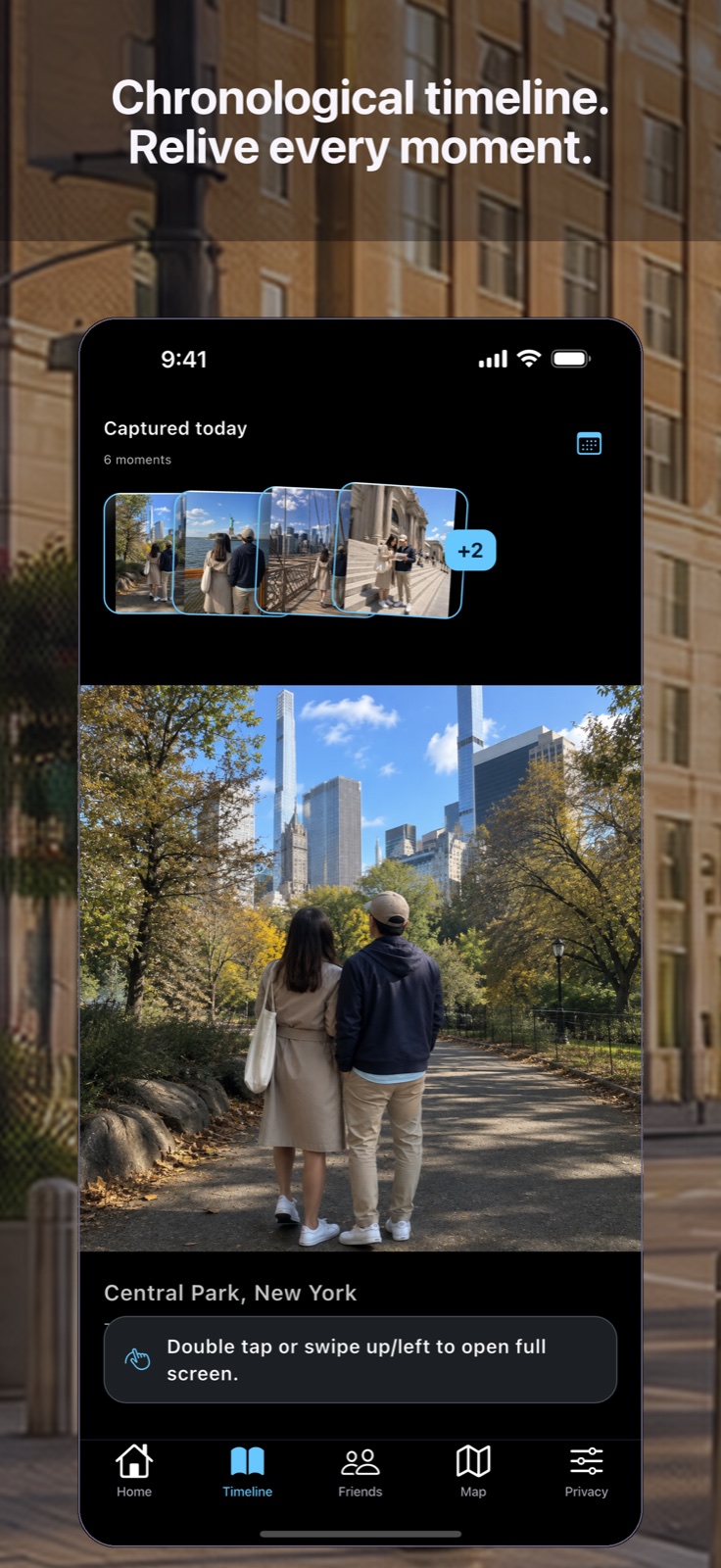
01 / TIMELINE
Move through life naturally.
Swipe vertically through moments in the feed or full screen, with sound and zoom when you want them.
Private memory, made personal
Vignetra privately transforms the photos already on your device into a living memory map—then lets you search your own life naturally and share only what you choose.
Private by default · iPhone + iPad + Android · Sky Blue by default · 81 language and regional choices

A living memory
Swipe. Ask. Explore. Share deliberately.
Swipe vertically through moments in the feed or full screen, with sound and zoom when you want them.
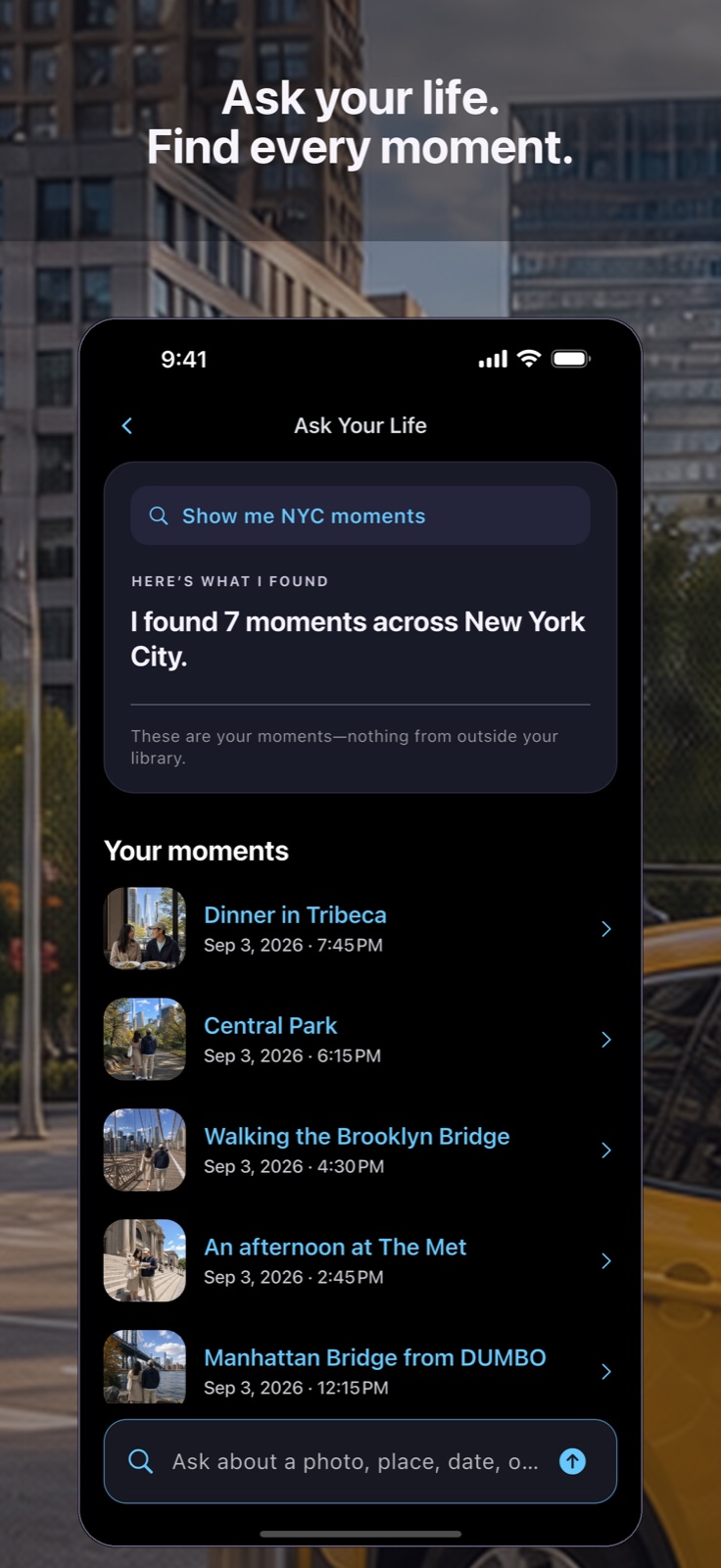
Search naturally by person, place, date, notes, or what appears in a photo. Type, speak, or ask Siri to search Vignetra.
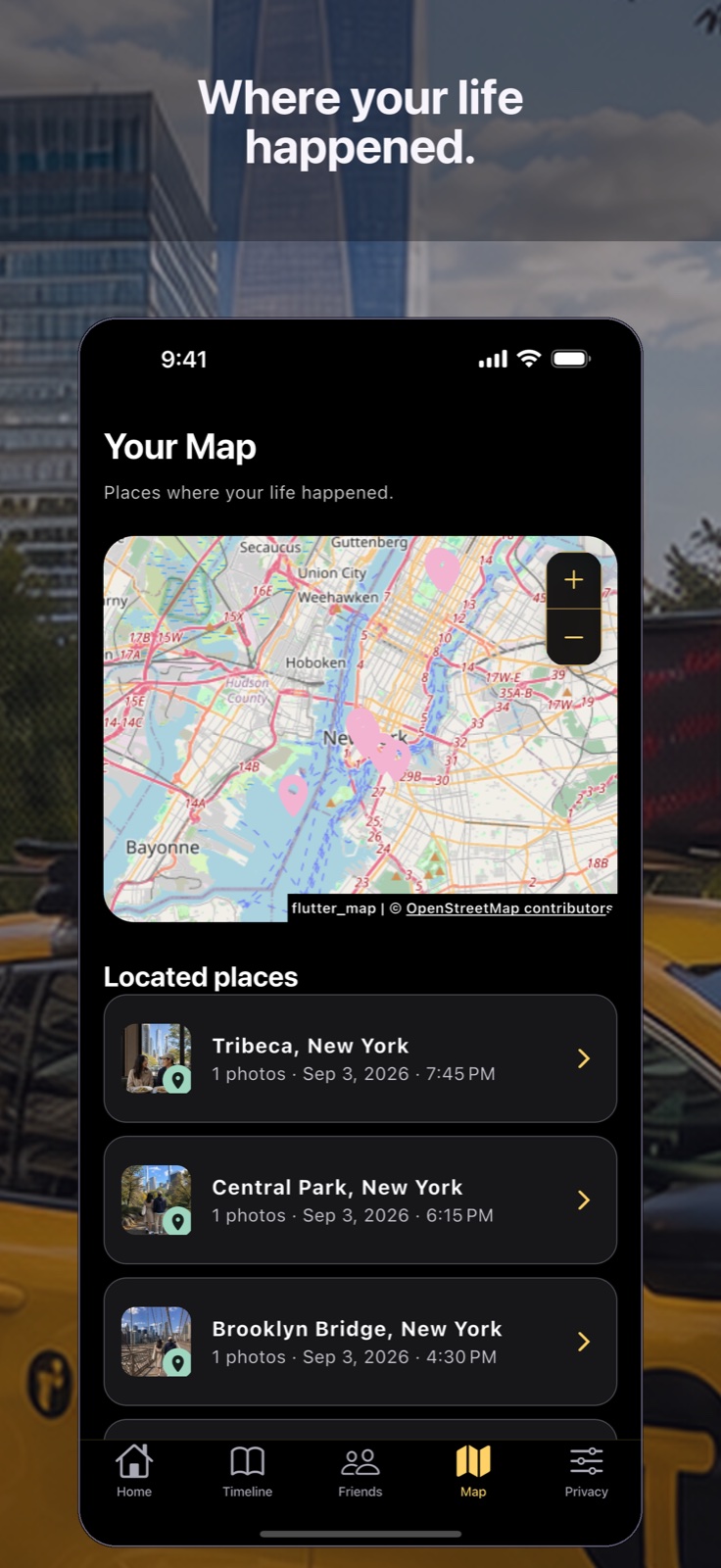
Turn geotagged moments into a private map and revisit the places that shaped the story.
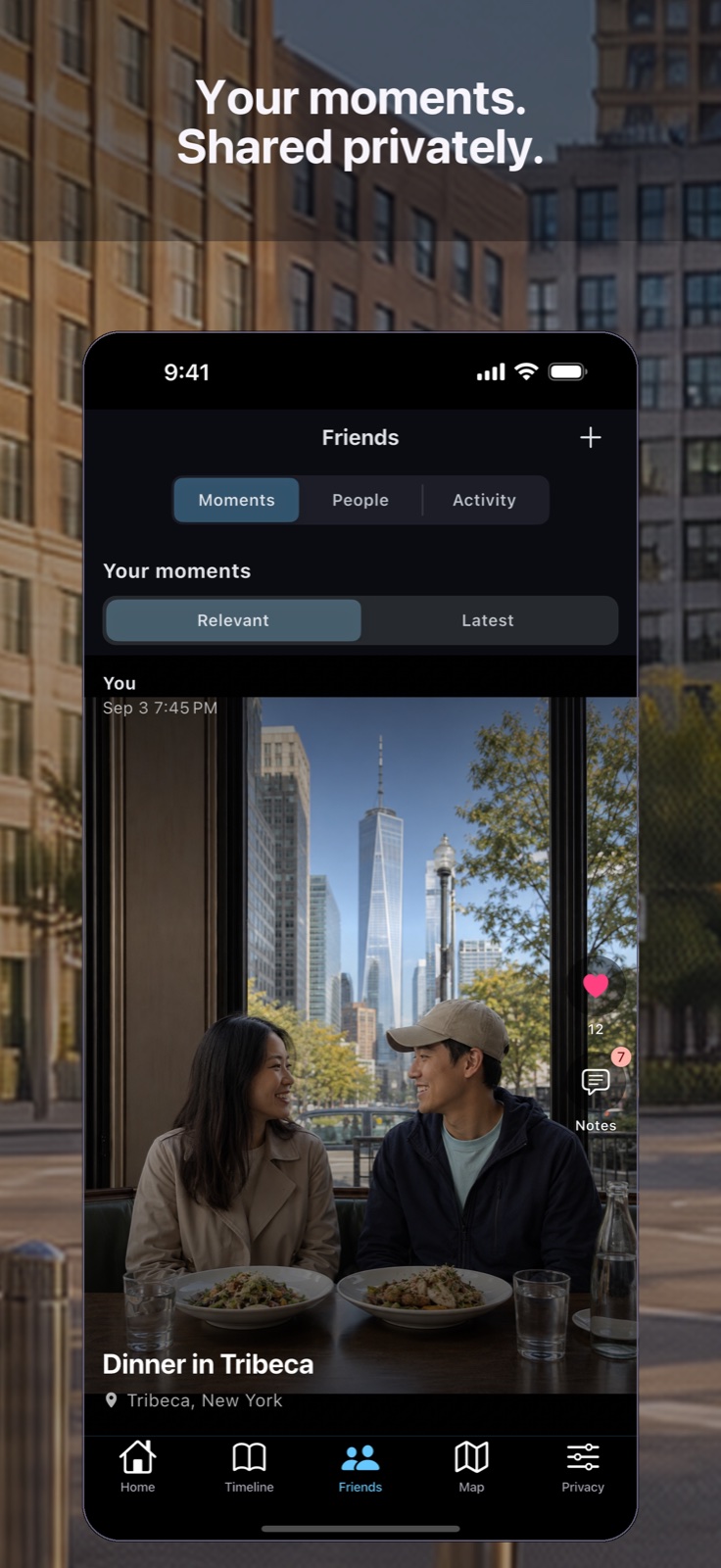
Browse Relevant or Latest, react, reply in nested notes, save allowed copies, and silence, block, or report when needed.
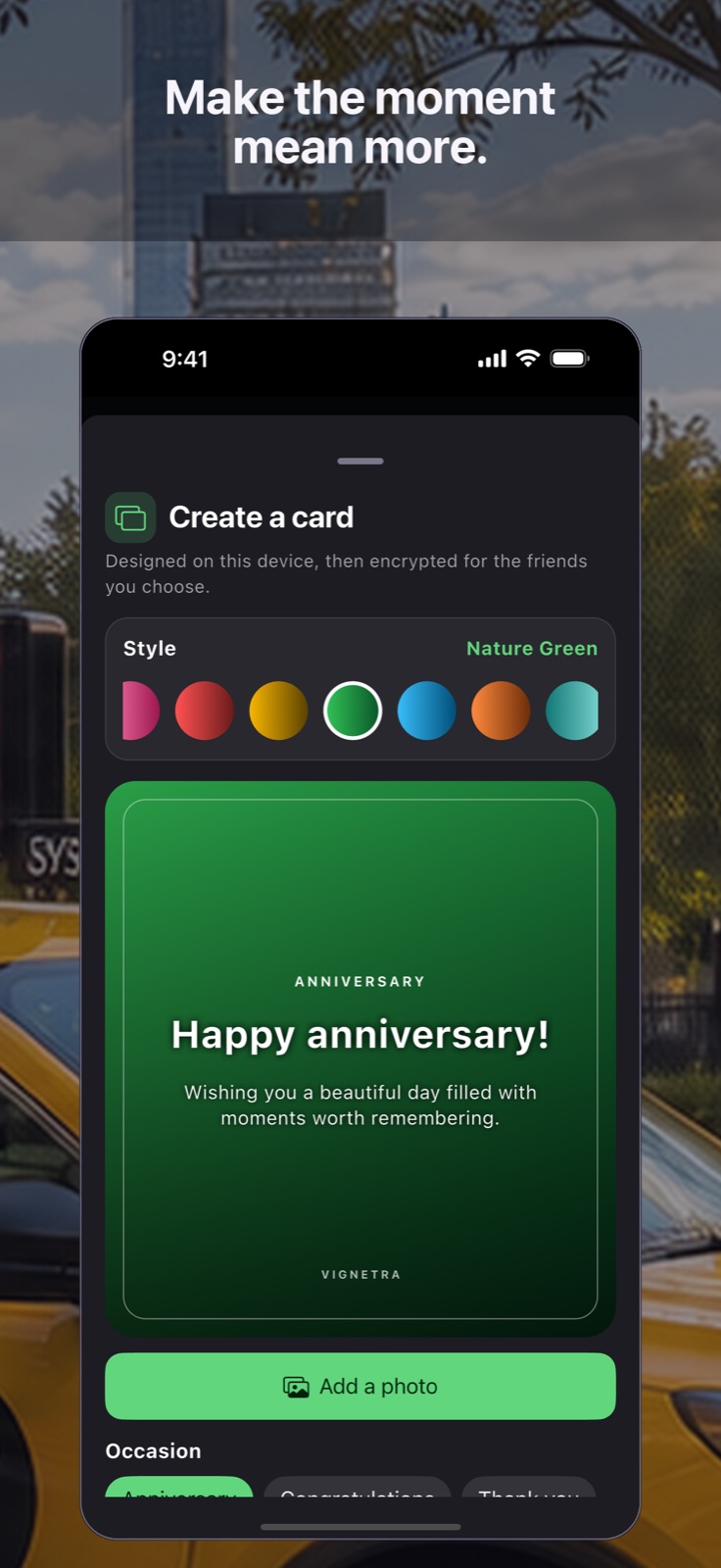
Compose a personal card from up to four photos, add your own words, and choose every recipient.
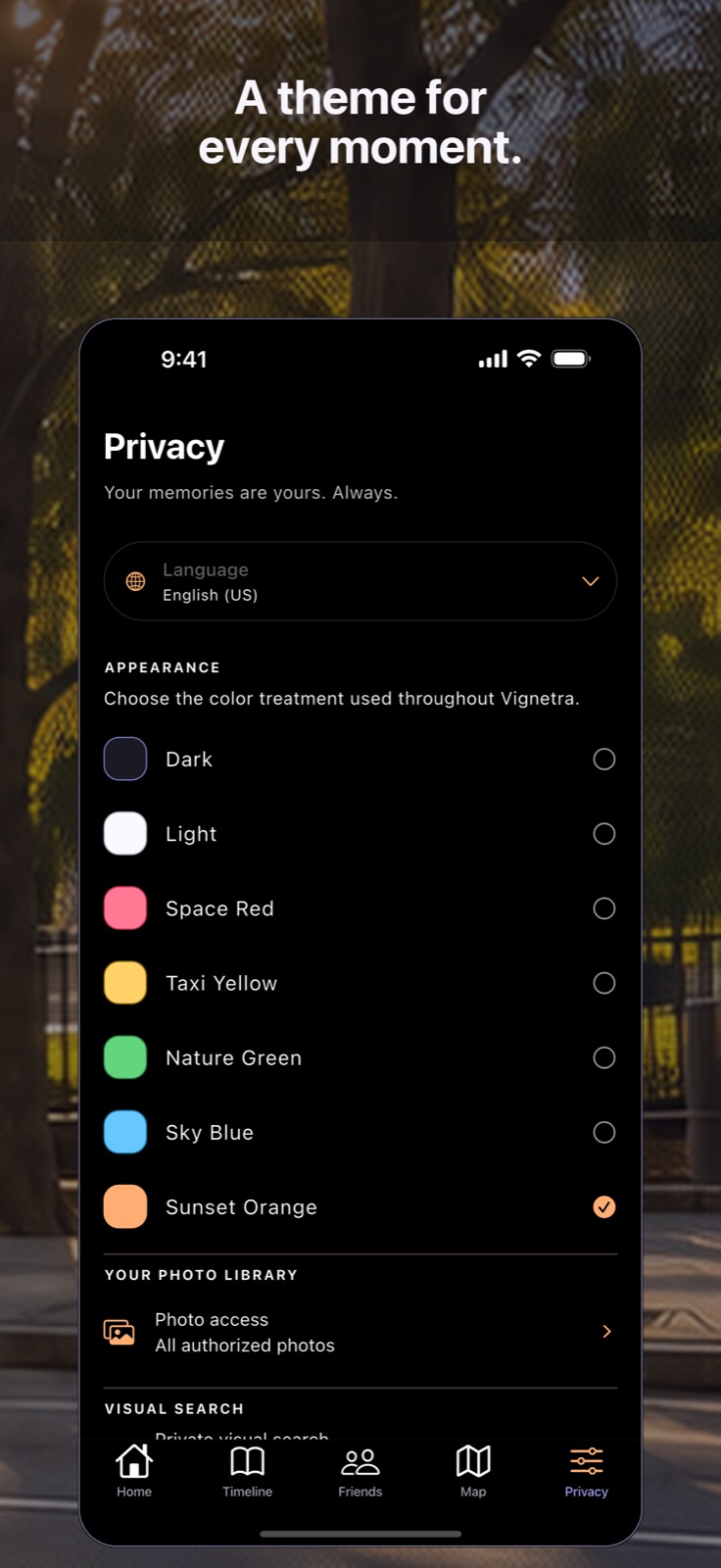
Start in signature Sky Blue, then choose from seven carefully designed themes with native light and dark appearances.
A private network for real friends
Nothing leaves your library automatically. Friend profiles and shared posts are clear, fast, and designed around the audience you select.
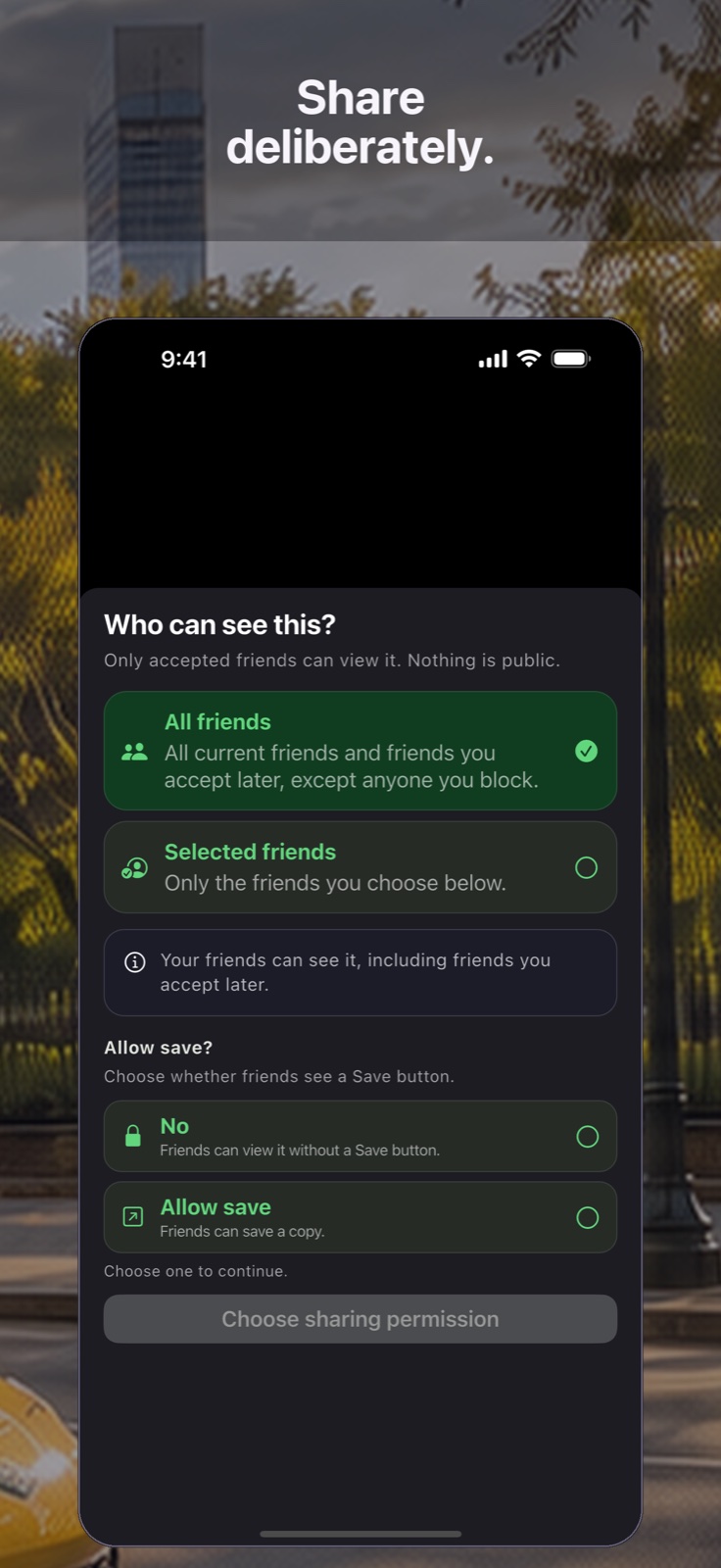
Made for the moment
Make it. Sign it. Share it privately.
Made to feel familiar
81 language and regional choices. Choose one in Privacy, or follow your device.
View privacy controls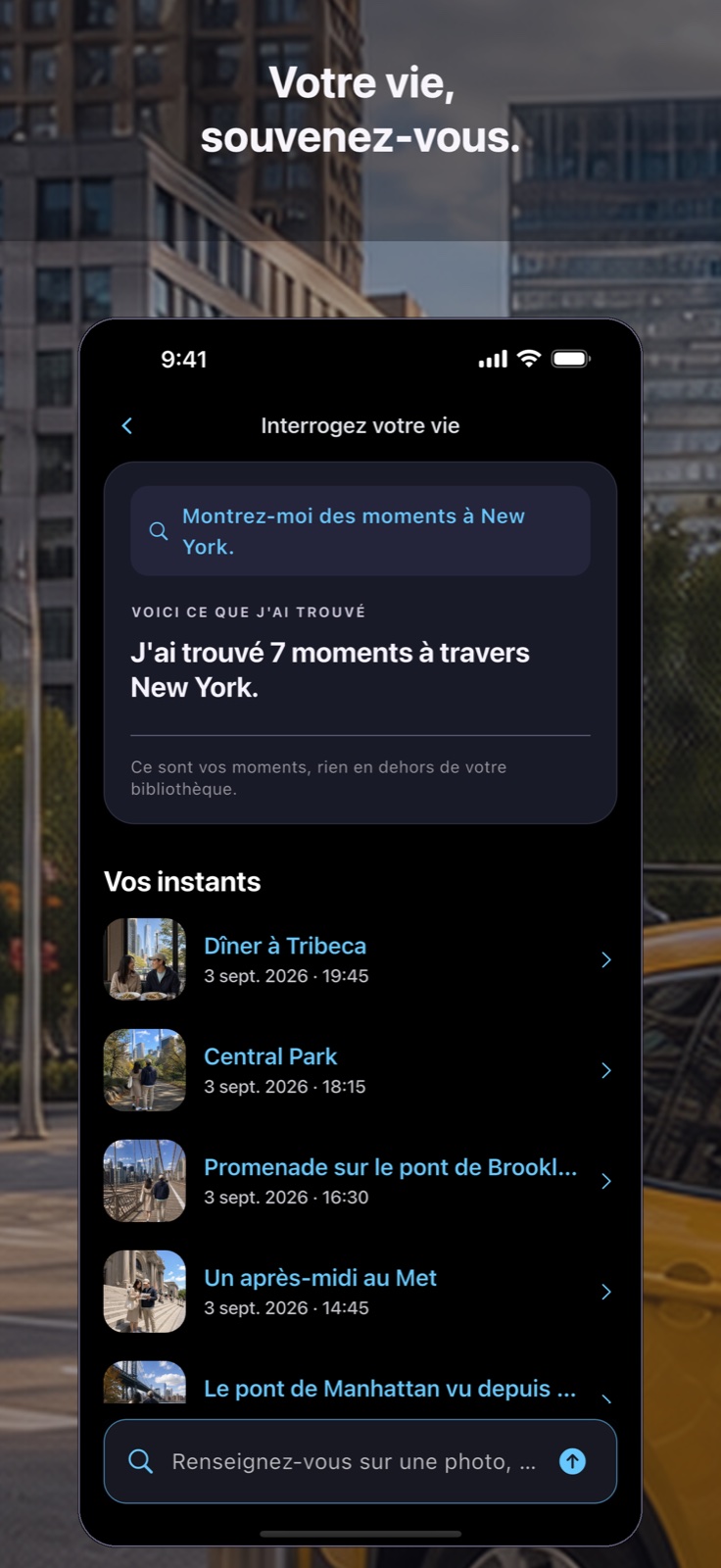
Private by design
Your device does the sensitive library work. People, visual details, and private search indexes stay local. If you choose to sign in, your account can sync supported organizational details and a simple social profile; only moments and cards you deliberately share are copied and encrypted on-device.
View the full Privacy PolicyAuthorized photos and videos, visual embeddings, detected details, face feature groups and names, photo references, and local search indexes.
Public profile basics—first name, username, optional About and photo, plus friend count—help people know they found the right person. Your friend list stays private. Vignetra stores organizational metadata, friends and blocks, plus ciphertext for only the moments and cards you explicitly share. Private decryption material stays protected on your device.
One clear boundary
Age is checked only when someone chooses to enter the online account flow.
People of any age can use Vignetra’s private on-device features without an account or an age prompt.
Immediately before account creation or sign-in through Apple, Google, or email/password, Vignetra asks for a self-declared age result. Under 13 returns to local use; 13+ may continue. The entered birth date is evaluated on device and is not retained by Vignetra.
Ads and, on iOS, Apple’s App Tracking Transparency choice remain available regardless of age declaration or authentication status. The sign-in result does not start, stop, personalize, or reconfigure them.
Community safety
Vignetra gives people control over what they see, gives reviewers the evidence needed to assess a report, and explains the action taken to the people involved.
Reporting a shared post immediately removes it from the reporter’s feed and access. The creator and other recipients retain access unless a reviewer later removes the post.
A report about a shared moment, card, or note includes only that exact reported item as isolated evidence; account and friend-request reports are metadata-only. Only authorized reviewers can open included evidence for a recorded reason. Case opening, actions, and closure are timestamped; evidence normally expires 30 days after closure unless law, an investigation, or a documented extension requires longer.
A reviewer may remove a post, take no action, restrict access for a stated period, or close an account. A restricted person can still sign in to read the notice, use on-device memories, and delete the account from Privacy at any time, but cannot use online social features while the action is active. Deletion removes ordinary account data; it does not remove narrowly limited safety or fraud-prevention records that may lawfully be retained separately or let the same Apple, Google, or verified-email identity bypass an active action.
Designed around consent
Vignetra asks for access because moments are the heart of the experience. The controls around those moments are just as important as the features built from them.
Grant full or selected photo access through your operating system, then change that choice in Settings.
Pause new face finding while keeping saved names available for private search, or separately turn it off and erase local face data. Your photos and videos never change.
Review guest details before merging them into a signed-in account, and delete synced metadata when you leave.
Share with everyone on your friends list or selected people, remove access later, and block unwanted contact immediately.
Questions, answered
If something about your data is not obvious, we would rather explain it plainly than hide it in fine print.
Not automatically. Your library originals stay under your device’s control. Only when you explicitly share a selected moment does Vignetra create an encrypted copy and store its ciphertext for the friends you chose.
Yes. People of any age can use the private local experience without an account or age check. Apple, Google, and email/password are available when you want account, cloud, and social features.
Vignetra has one account boundary: a person who declares they are 13 or older may continue to authentication. An under-13 declaration stops only the sign-in process and returns the person to local guest use. It does not lock the app.
Yes. If you declare that you are at least 13, you can create an email/password account, sign in later, and request a password reset. Firebase Authentication handles the credential; Vignetra does not receive, store, or log your raw password.
No. Ads and Apple’s App Tracking Transparency choice operate independently of login age and authentication. They remain available whether someone is signed out, declares under 13, or declares 13+.
Vignetra asks before merging supported guest details into an existing account. Face groups and names stay on the device either way.
Your photo library is the core of the product. Vignetra needs the access you authorize to build moments, the timeline, map, and private visual search. You can choose full or selected access in system settings.
No. Encrypted friend sharing is not a library backup. Keep a separate backup of your original media; shared copies can be removed by their owner and private-sharing access may need to be re-established when devices change.
Private shared content, details, face labels, and notes are encrypted on your device. Selected recipients receive protected access needed to open them; Vignetra stores ciphertext and operational metadata rather than a readable copy.
The microphone starts only when you tap it. Your phone’s speech-recognition service converts your speech into editable text, which Vignetra places in the same Ask Your Life field used for typing. Depending on your device, language, and settings, Apple or Google may process the audio under its own privacy terms. Vignetra does not retain a voice recording.
Vignetra follows your device language by default. In the Privacy tab, you can choose a different app language, search for it by its native name, or switch back to your device language whenever you like. The current app supports 81 language and regional choices.
Account deletion removes Vignetra cloud metadata, your owned encrypted shares, and your access to received shares, plus local indexes on that device. It does not delete library originals or copies a friend previously saved.
A report hides the post only from the person who made the report while it is reviewed. Authorized reviewers can take a documented action, such as removing the post, restricting an account, closing an account, escalating the case, or taking no action. A restricted person can still sign in to see the reviewer’s notice, use on-device memories, and delete the account from Privacy at any time, but cannot use online features until access is restored. Deleting an account does not bypass an active safety action.
A calmer way back
Vignetra is preparing for release on iPhone, iPad, and Android. Reach out for early-access updates, product questions, privacy requests, or press information.